AdSense revenue dashboard — with a daily report in chat
See your AdSense earnings on one dashboard and get a daily summary delivered to Slack, Discord, or Telegram. Stop logging into AdSense every morning.
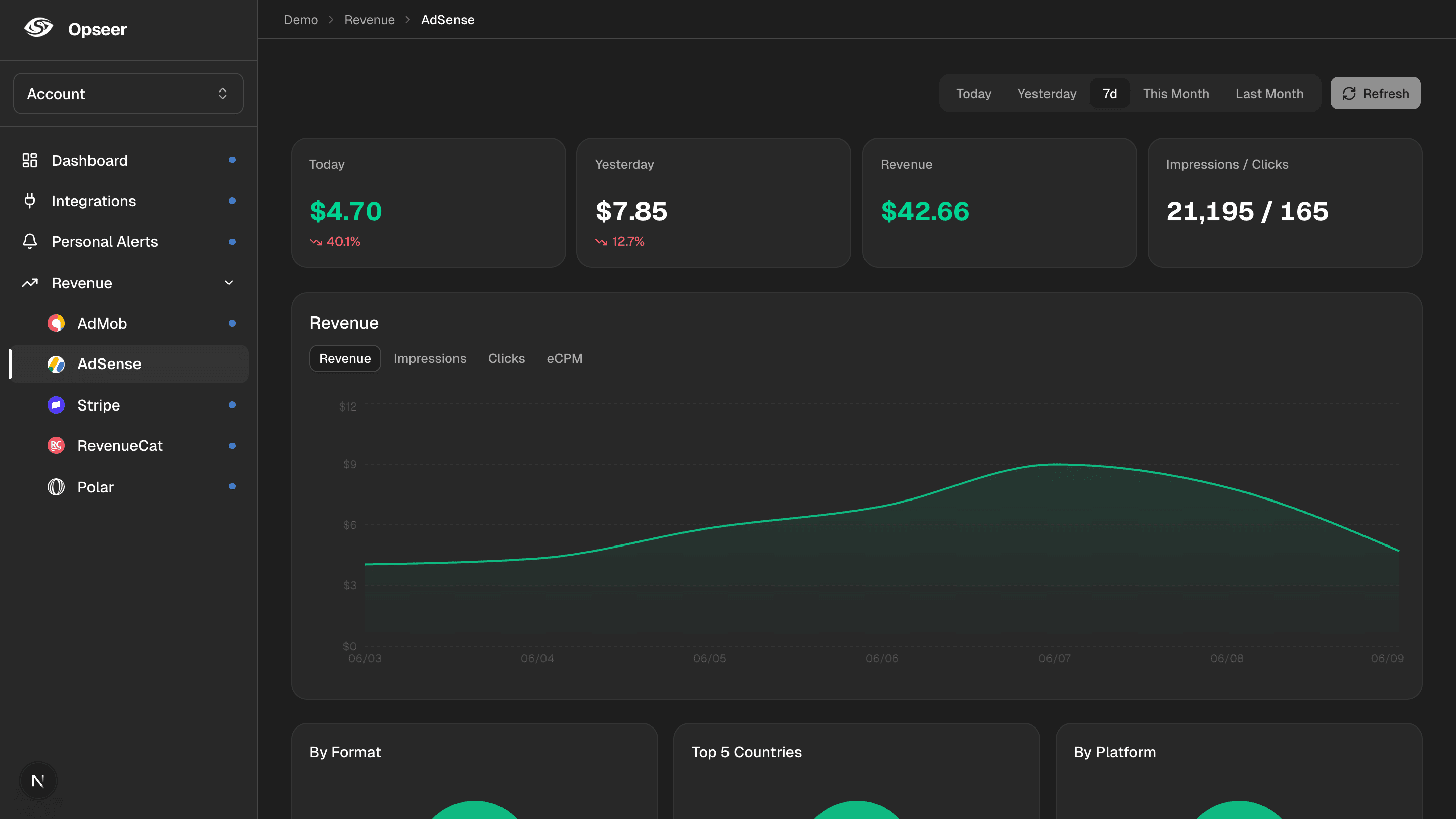
AdSense reporting is detailed, but checking it daily just to see “how much did my sites earn yesterday” is a chore. Opseer connects to AdSense, charts your web ad earnings on a clean dashboard, and sends a daily report to the chat app you already use — right next to your payments and database stats.
What you’ll see
Estimated earnings
Daily and period revenue with day-over-day change.
Page RPM
Revenue per thousand page views, trended over time.
Page views & impressions
Traffic and ad serving volume at a glance.
Clicks & CTR
Engagement on your ad units.
How it works
1
Connect AdSense
Link your AdSense account to Opseer. Credentials are encrypted with AES-256-GCM and used read-only.
2
See it on the dashboard
Your AdSense earnings are pulled daily and charted next to your other revenue sources.
3
Get a daily report
Opseer sends your AdSense revenue summary to Slack, Discord, or Telegram every day, on your schedule.
FAQ
- Can I send AdSense earnings to Telegram or Slack?
- Yes. Opseer delivers a daily AdSense revenue report to Slack, Discord, Telegram, or Webhook — automatically.
- Does Opseer change my AdSense account?
- No. The connection is read-only — Opseer reads your earnings and never modifies your AdSense account.
- Can I combine AdSense with AdMob or Stripe?
- Yes. Opseer unifies ad revenue (AdSense, AdMob), payments (Stripe, Polar, RevenueCat), and database stats into one daily report.
- Do I need to build anything?
- No code required. Connect AdSense and choose your report time.
Related
Get your first daily report
Connect your tools and let Opseer summarize your app every day in chat.