Supabase admin dashboard — manage data, track stats, get daily reports
Browse and edit your Supabase data, manage Auth, and get a daily stats report in Slack, Discord, or Telegram — without living in the Supabase console.
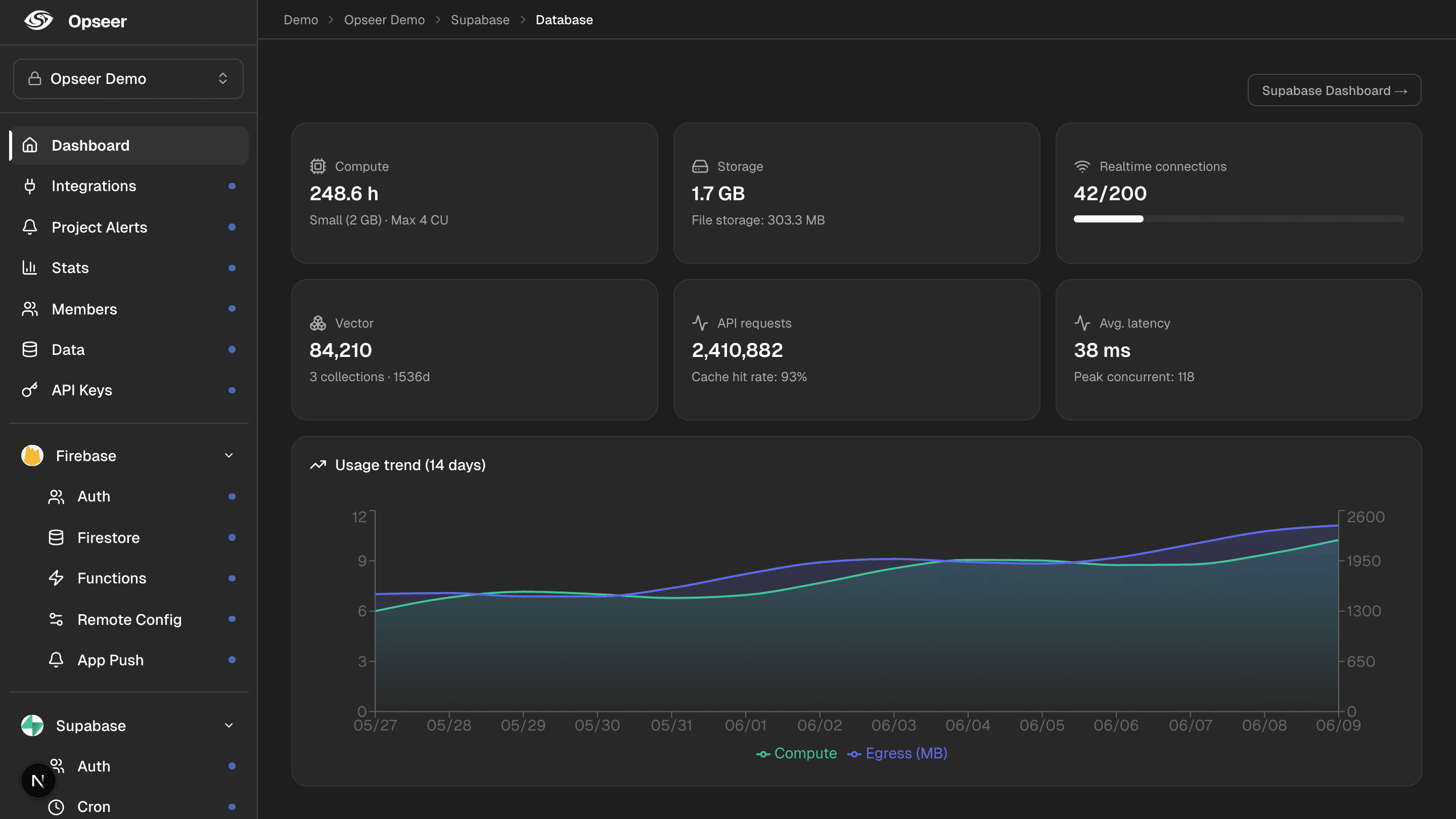
Opseer connects to Supabase with one OAuth click and gives you a clean admin dashboard — browse and edit data without SQL, manage Auth users, and view Edge Functions, Cron, and your database at a glance. Define business metrics with a visual query builder or SQL, and Opseer collects them daily and sends a report to chat — next to your revenue from ads and payments.
What you’ll see
Data management (CRUD)
View, create, edit, and delete rows — no SQL needed.
Auth users
Manage your Supabase Auth users.
Business stats
Define metrics with the query builder or SQL, collected daily.
Functions, Cron, Database
View Edge Functions, Cron jobs, and your database in one place.
How it works
1
Connect Supabase
One OAuth click. Tokens are encrypted with AES-256-GCM.
2
Manage data & define stats
Browse and edit data, and define the metrics you want tracked daily.
3
Get a daily report
Opseer sends your Supabase stats summary to Slack, Discord, or Telegram every day, on your schedule.
FAQ
- Can I get a Supabase stats report in Slack or Telegram?
- Yes. Opseer sends a daily stats report from your Supabase data to Slack, Discord, Telegram, or Webhook — automatically.
- Is this infrastructure monitoring?
- No. Opseer tracks business metrics from your data (users, signups, revenue) — not CPU or query latency. Use the Supabase console for infrastructure.
- Can I combine Supabase with my ad and payment revenue?
- Yes. Opseer brings Supabase stats together with AdMob, AdSense, Stripe, Polar, and RevenueCat in one daily report.
- Do I need to write SQL?
- No. Use the visual query builder, or write SQL if you prefer.
Related
Get your first daily report
Connect your tools and let Opseer summarize your app every day in chat.