Stripe MRR dashboard — with a daily report in chat
See your Stripe MRR, net revenue, and subscriptions at a glance, and get a daily summary delivered to Slack, Discord, or Telegram.
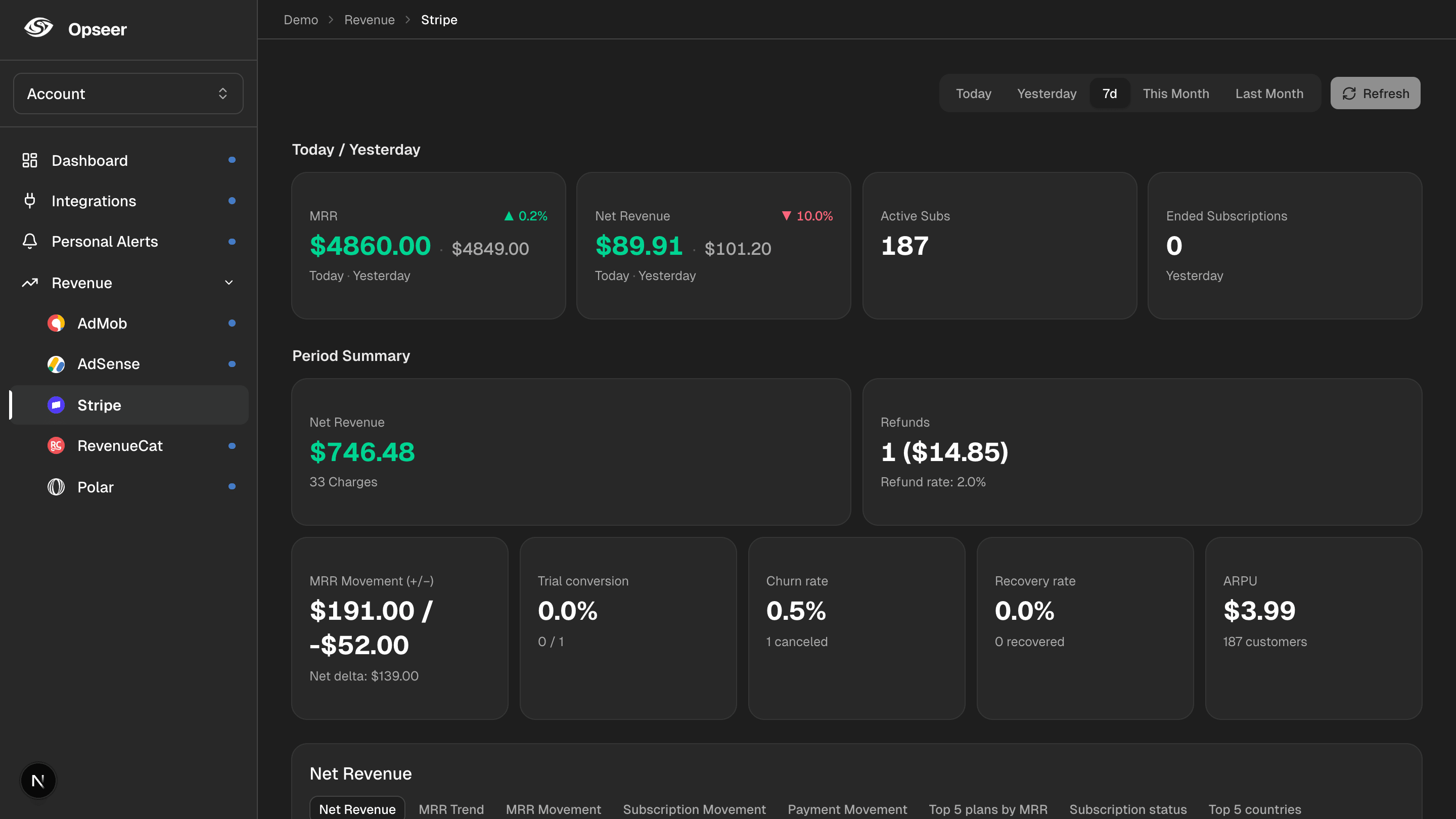
The Stripe dashboard shows payments, but pulling MRR, net revenue, and active subscriptions together for a quick daily read takes effort. Opseer connects to Stripe with a read-only restricted key, tracks the numbers that matter, and sends a daily report to chat — alongside your ad revenue and database stats.
What you’ll see
MRR
Monthly recurring revenue, trended day over day.
Net revenue
Daily net revenue after refunds.
Active subscriptions
How many subscriptions are live right now.
Charges & refunds
Payment activity at a glance.
How it works
1
Connect Stripe
Add a read-only Stripe restricted key. It’s encrypted with AES-256-GCM and never used to make changes.
2
See it on the dashboard
Your Stripe MRR and revenue are pulled daily and charted next to your other sources.
3
Get a daily report
Opseer sends your Stripe revenue summary to Slack, Discord, or Telegram every day, on your schedule.
FAQ
- Can I get a Stripe MRR daily report in Slack?
- Yes. Opseer delivers a daily Stripe revenue and MRR report to Slack, Discord, Telegram, or Webhook — automatically.
- Is my Stripe account safe?
- Opseer uses a read-only restricted key, encrypted with AES-256-GCM. It reads your data and never modifies your Stripe account.
- Can I combine Stripe with RevenueCat or AdMob?
- Yes. Opseer unifies payments (Stripe, Polar, RevenueCat), ad revenue (AdMob, AdSense), and database stats into one daily report.
- Do I need to build anything?
- No code required. Add your restricted key and choose your report time.
Related
Get your first daily report
Connect your tools and let Opseer summarize your app every day in chat.